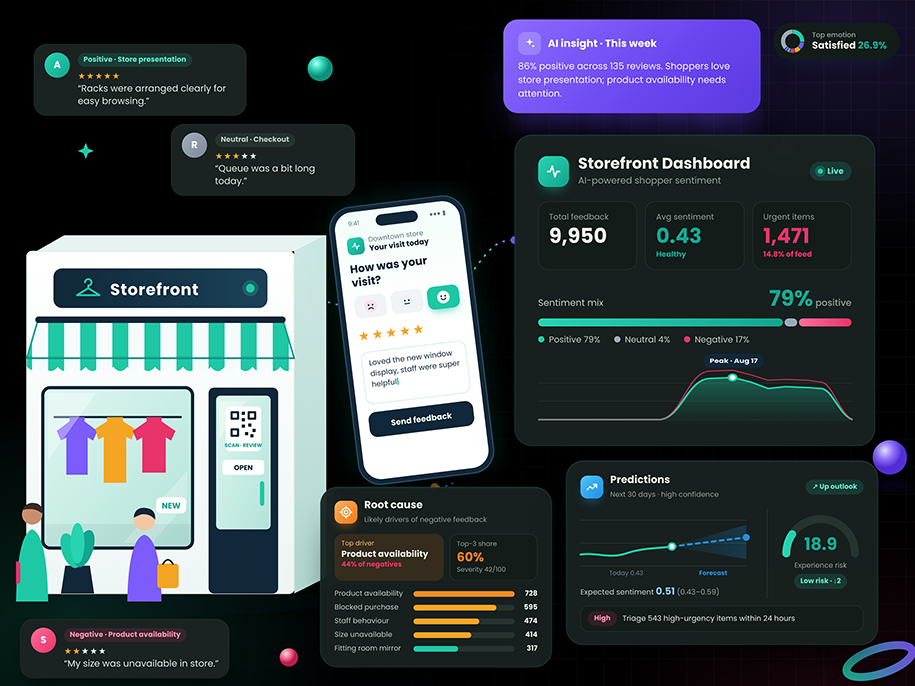
Understand what shapes every in-store experience
Analyze in-store feedback to understand sentiment, emotions, intent, and recurring topics. Explore likely root causes, weekly insights, and customer experience risk signals with contributors, confidence, and supporting reviews.
Store experience
Understand feedback about staff, service, checkout, and availability.
Emotions & topics
See how customers feel and which issues recur.
Root cause insights
Investigate likely contributors and the feedback behind each finding.
Experience risk
See how customers feel and which issues recur.
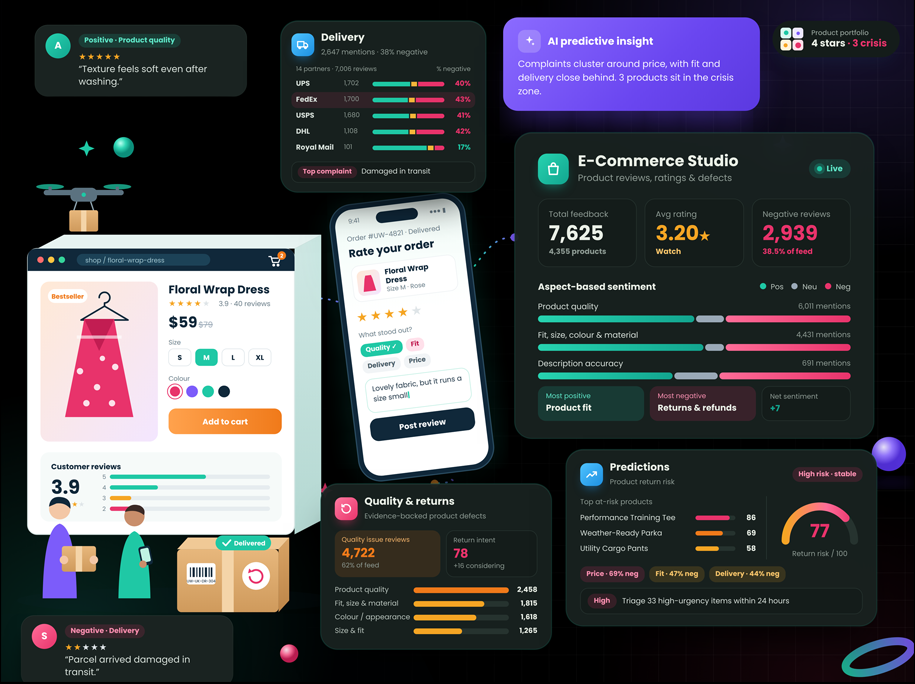
Understand the full online customer experience
Analyze feedback about products, delivery, quality, and the shopping journey, including returns when return feedback is available. Explore sentiment, emotions, recurring topics, likely root causes, and predictive experience signals with supporting evidence.
Product & quality
Explore sizing, appearance, defects, and product feedback.
Delivery & returns
Identify fulfilment concerns and analyze return feedback when available.
Root cause insights
Investigate likely contributors and review the feedback supporting each finding.
Predictive signals
Track experience risk trends, contributing factors, and confidence where sufficient data is available.
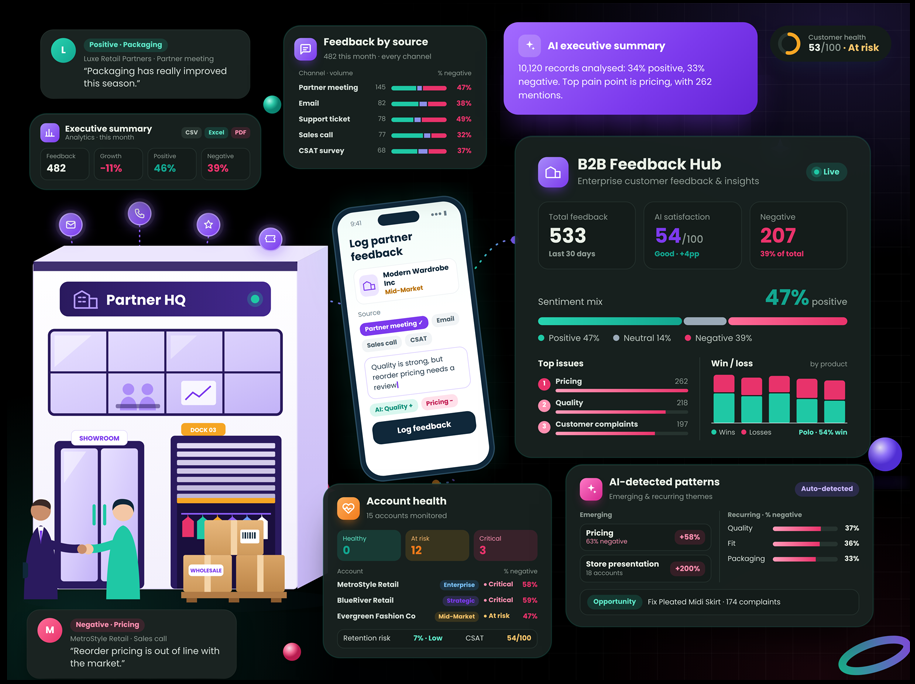
Understand what business customers are telling you
Bring feedback from enterprise accounts, distributors, and partners into one view. Explore account sentiment, recurring concerns, product and service themes, and changes over time, with the underlying feedback available for review.
Account-level view
Review feedback and sentiment by business account.
Recurring concerns
Identify issues raised repeatedly within or across accounts.
AI insights
Explore themes, trends, and the feedback supporting each finding.
Prioritize action
Filter concerns by urgency, status, product, category, source, or region.
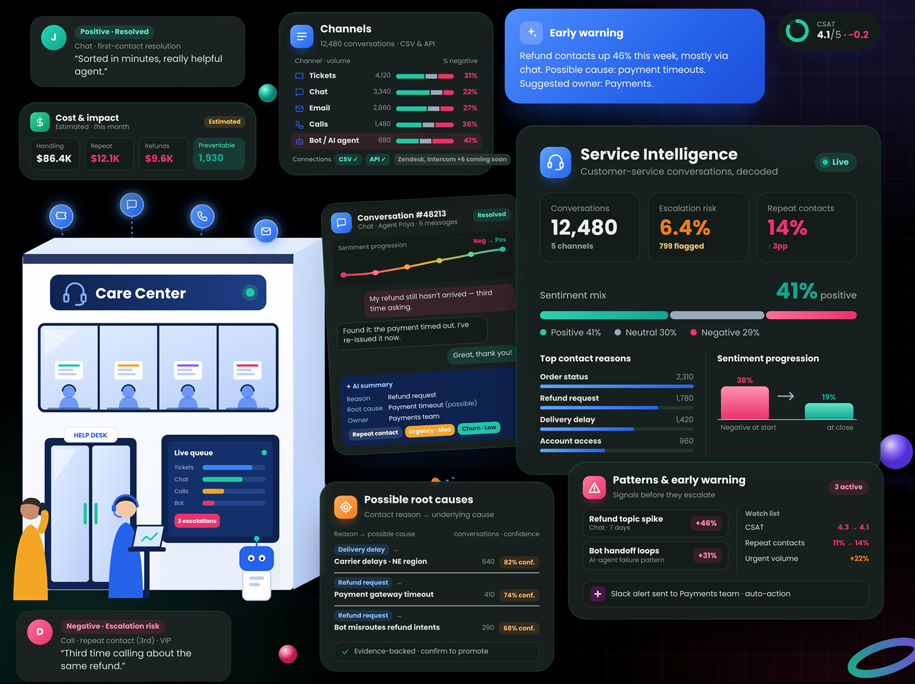
Understand what customers experience when they need help
Analyze support and service feedback to uncover recurring issues, emotions, intent, and urgency. Follow trends, review the customer feedback behind each insight, and help teams focus on the concerns that need attention.
Service issue themes
Find concerns that recur across service feedback.
Emotion & urgency
Understand how customers feel and which feedback needs review.
Evidence-backed insights
Read the original feedback behind trends and findings.
Focus attention
Use priority and changes over time to identify concerns for the team to examine.
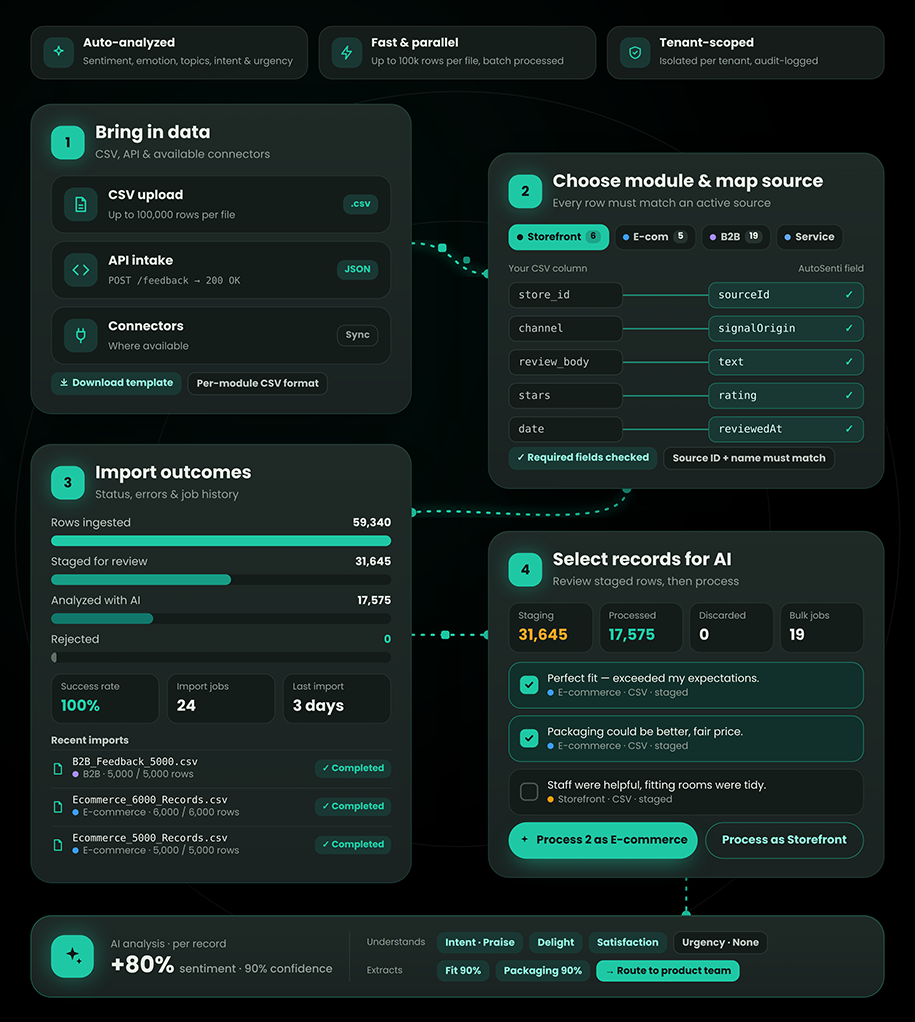
Bring customer feedback into the right workspace
Bring supported feedback into Storefront, E-commerce, B2B, or Service Intelligence through CSV, API, or available connectors. Map records to a configured source, monitor intake results, and select feedback for AI analysis.
Flexible intake
Bring in feedback through CSV, API, and available connectors.
Source mapping
Associate incoming records with a source configured for the selected module.
Import visibility
Review intake status, rejected records, errors, and job history.
Controlled AI analysis
Review imported feedback and select the records to analyze using tenant-specific AI context.
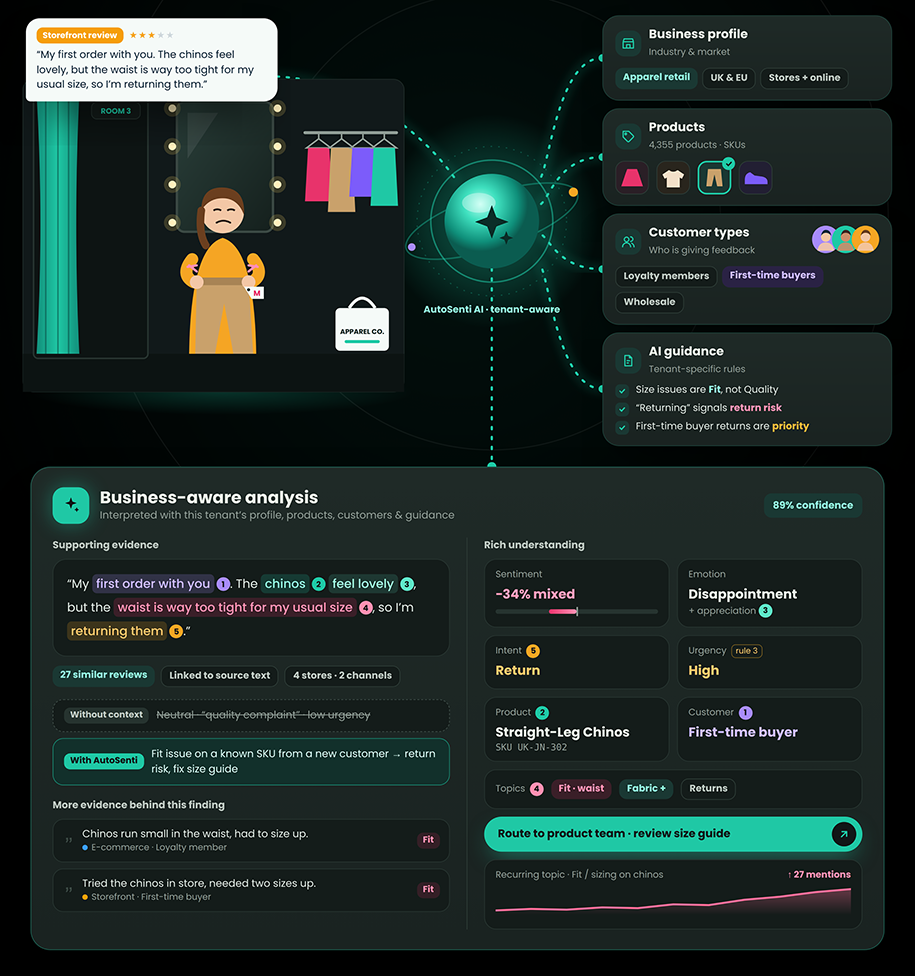
AI that understands the context of your business
Use each tenant’s business profile, products, customer types, and AI guidance to interpret feedback in context. Explore sentiment, emotions, intent, urgency, and recurring topics, with supporting feedback behind the insights.
Tenant context
Ground analysis in the business, its products, and its customers.
Guided analysis
Apply tenant-specific AI guidance when interpreting feedback.
Rich understanding
Identify sentiment, emotions, intent, urgency, and topics.
Supporting evidence
Explore the customer feedback behind AI findings.
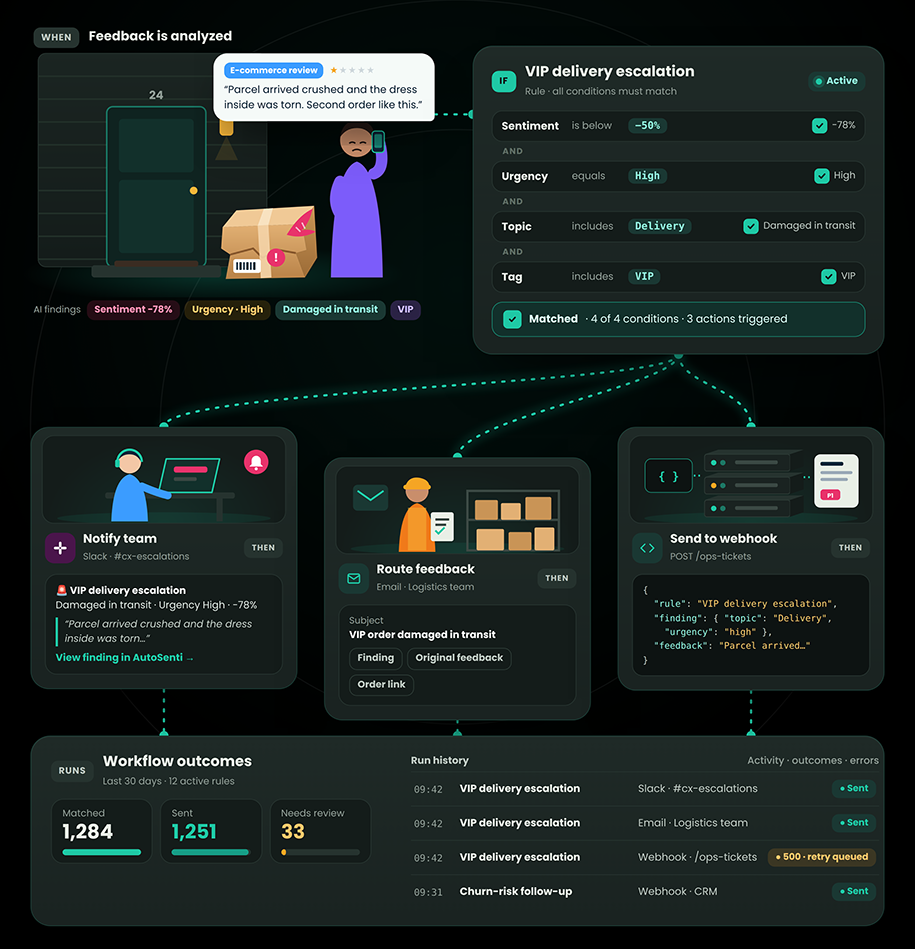
Turn relevant customer signals into action
Create rules that respond to analyzed customer feedback and route relevant findings through configured workflows. Notify teams or send context to supported destinations using conditions such as sentiment, urgency, topics, or tags.
Smart conditions
Define rules using supported attributes such as sentiment, urgency, topics, and tags.
Configured actions
Notify a team, route feedback, or send information to a supported destination such as a webhook.
Workflow visibility
Review rule activity, outcomes, and errors.
Context attached
Give teams the finding and original feedback so they can understand why an action was triggered.
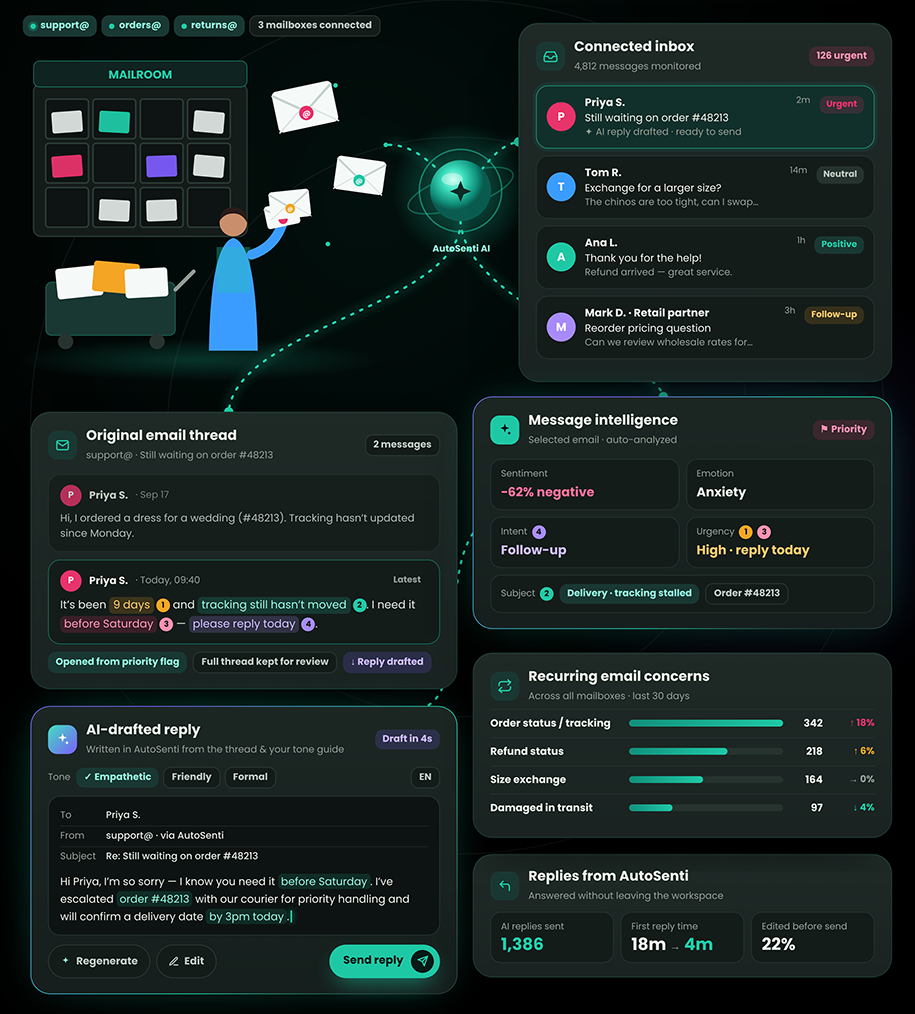
Understand conversations in your customer inbox
Connect support and other customer-facing email accounts to AutoSenti and monitor conversations in one workspace. Analyze messages for sentiment, intent, emotion, urgency, and recurring topics, with the original email available for review.
Connected inboxes
Configure and monitor support or other customer-facing email accounts in AutoSenti.
Message intelligence
Understand sentiment, emotion, intent, urgency, and the subject of each conversation.
Recurring issues
Identify questions and concerns that appear across emails.
Conversation context
Open the original email thread behind an insight or priority flag.